

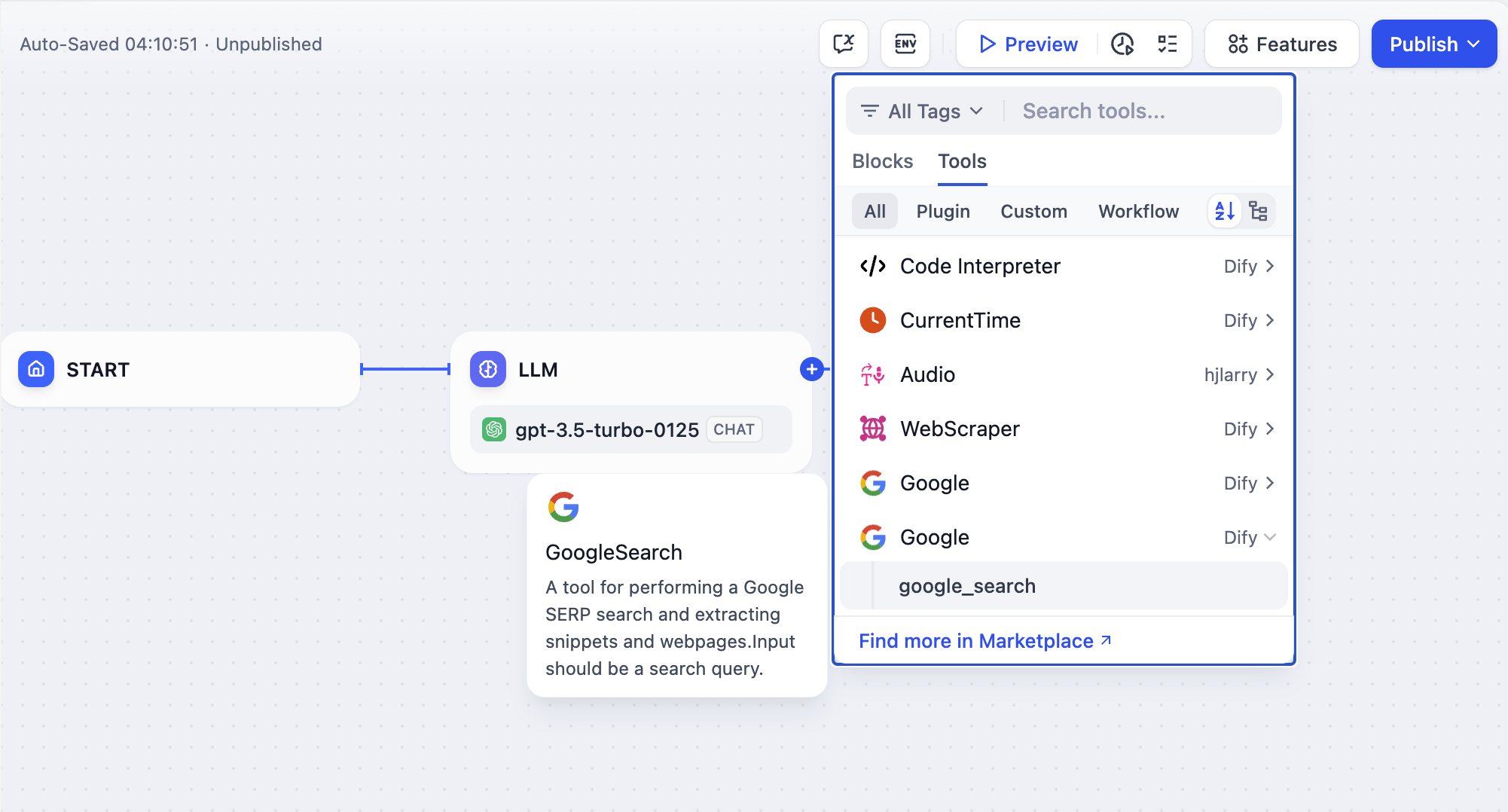
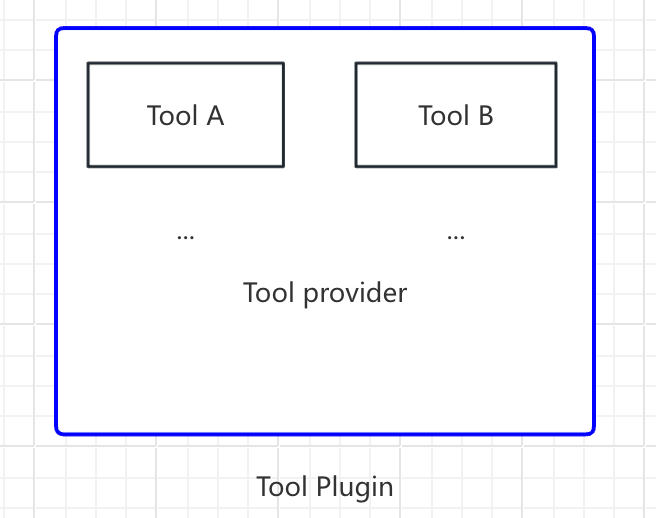
Prerequisites
- Dify plugin scaffolding tool
- Python environment (version 3.12)
Create a New Project
Run the scaffolding command line tool to create a new Dify plugin project.dify and copied it to the /usr/local/bin path, you can run the following command to create a new plugin project:
The following examples use
dify as the command. If you run into issues, replace dify with the path to your command-line tool.Choose Plugin Type and Template
Each template in the scaffolding tool is a complete code project. For this example, select theTool plugin.
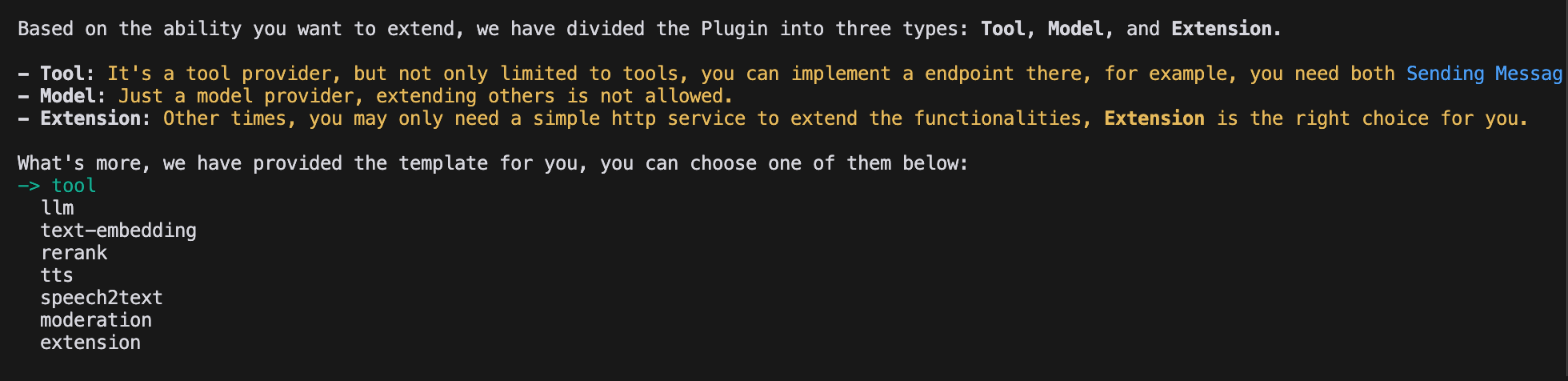
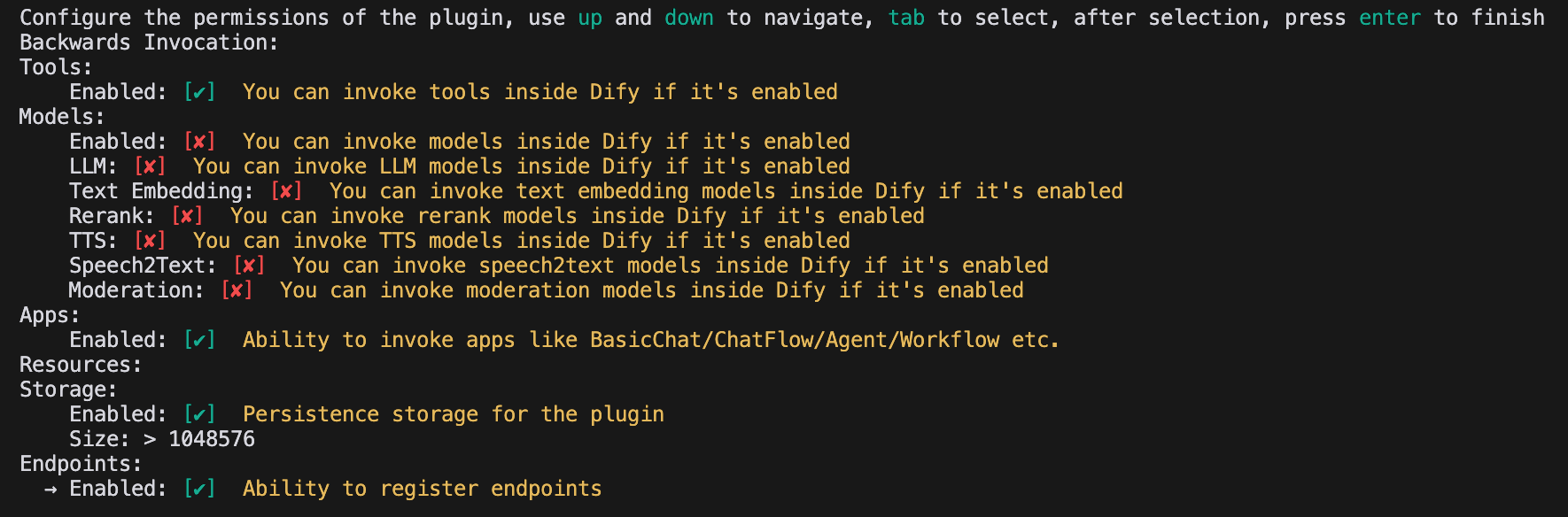
Configure Plugin Permissions
The plugin also needs permissions to read from the Dify platform. Grant this example plugin the following permissions:- Tools
- Apps
- Enable persistent storage, with the default storage size
- Allow registering Endpoints
Develop the Tool Plugin
1. Create the Tool Provider File
The tool provider file is a YAML file that serves as the plugin’s base configuration, supplying the authorization information the tool needs. In the plugin template project, go to the/provider directory and rename the YAML file to google.yaml. This file describes the tool provider: name, icon, author, and other details shown when the plugin is installed.
Example code:
/tools directory, with the complete path as follows:
google.yaml must be referenced by its absolute path within the plugin project; in this example, it sits in the project root directory. In the YAML file, identity holds the tool provider’s basic information: author, name, label, description, and icon.
- The icon must be an attachment resource placed in the
_assetsfolder in the project root directory. - Tags help users find plugins by category. These are all the currently supported tags:
2. Add Third-Party Service Credentials
For convenience, this example uses the Google Search API provided by the third-party service SerpApi. SerpApi requires an API key, so add acredentials_for_provider field to the YAML file.
The complete code:
- The sub-level structure of
credentials_for_providermust meet the requirements in General Specifications. - Specify which tools the provider includes. This example includes only one file,
tools/google_search.yaml. - Besides its basic information, a provider needs code logic, so specify its implementation file. This example uses
google.py, but leave it unimplemented for now and write thegoogle_searchtool code first.
3. Fill in the Tool YAML File
A tool plugin can contain multiple tools, each described by its own YAML file covering basic information, parameters, and output. Continuing with theGoogleSearch tool, create a new google_search.yaml file in the /tools folder.
identity: Basic information about the tool, including name, author, label, and description.parameters: The parameter list.name(required): Parameter name; must be unique among the tool’s parameters.type(required): Parameter type. One ofstring,number,boolean,select, orsecret-input, rendered as a string, number, boolean, dropdown, or encrypted input box. Usesecret-inputfor sensitive information.label(required): Parameter label, shown in the frontend.form(required): Form type, eitherllmorform.- In Agent applications,
llmmeans the LLM infers the parameter itself, whileformmeans the parameter can be preset before using the tool. - In Workflow applications, both
llmandformparameters are filled in via the frontend, butllmparameters are used as input variables for the tool node.
- In Agent applications,
required(optional): Whether the parameter is required.- In
llmmode, a required parameter must be inferred by the Agent. - In
formmode, a required parameter must be filled in on the frontend before the conversation begins.
- In
options(optional): Parameter options.- In
llmmode, Dify passes all options to the LLM, which can infer based on them. - In
formmode, the frontend displays the options whentypeisselect.
- In
default(optional): Default value.min(optional): Minimum value; applies when the parameter type isnumber.max(optional): Maximum value; applies when the parameter type isnumber.human_description(optional): Description shown in the frontend; supports multiple languages.placeholder(optional): Hint text for the input field; applies when the form type isformand the parameter type isstring,number, orsecret-input. Supports multiple languages.llm_description(optional): Description passed to the LLM. Write it in as much detail as possible so the LLM understands the parameter.
4. Write the Tool Code
With the tool configuration in place, write the code that implements the tool’s logic. Creategoogle_search.py in the /tools directory with the following content:
serpapi and uses self.create_json_message to return formatted JSON data. To learn more about return data types, see Remote Debugging Plugins and Persistent Storage KV.
5. Complete the Tool Provider Code
Finally, implement the provider’s credential validation logic. If validation fails, the code raises aToolProviderCredentialValidationError exception; once validation succeeds, the google_search tool service is requested correctly.
Create a google.py file in the /provider directory with the following content:
Debug the Plugin
After development, test whether the plugin works correctly. Dify provides remote debugging so you can quickly verify the plugin’s functionality in a test environment. Go to the Plugin Management page to get the remote server address and debug key.
.env.example file, rename it to .env, and fill in the remote server address and debug key.
.env file:
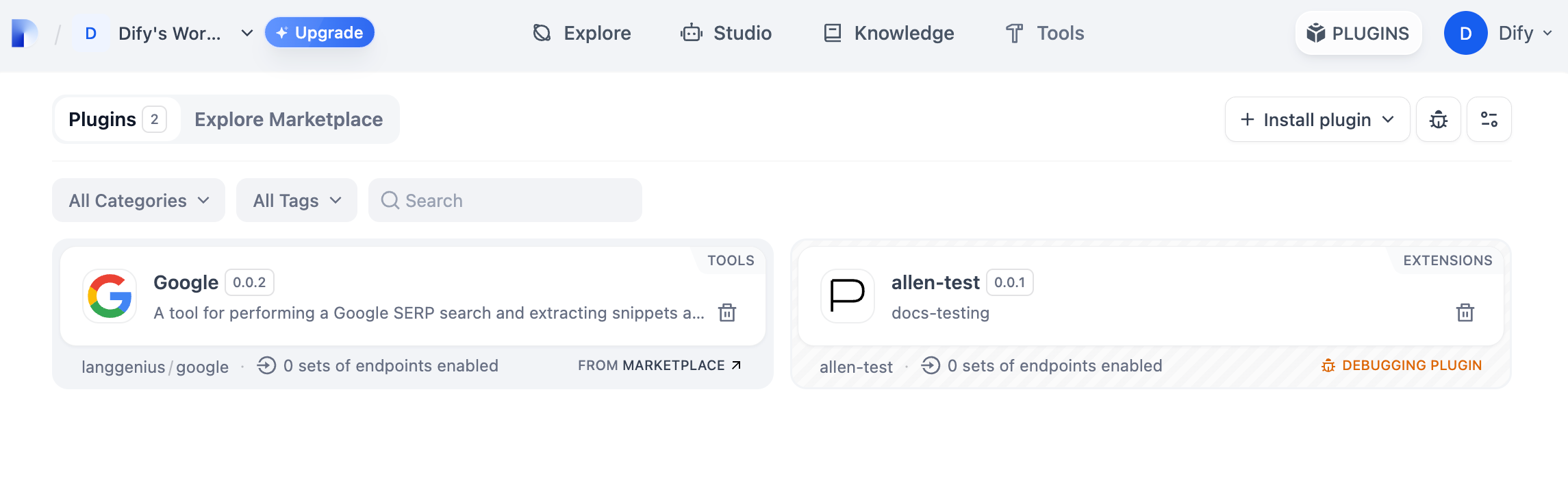
python -m main to start the plugin. On the Plugins page, you can see the plugin installed in the workspace, where other team members can also access it.
Package the Plugin (Optional)
Once the plugin runs correctly, package and name it with the following command. It produces agoogle.difypkg file in the current folder—the final plugin package.
Publish the Plugin (Optional)
To publish the plugin to the Dify Marketplace, make sure it follows the specifications in Publish to Dify Marketplace. After the review passes, the code is merged into the main branch and automatically released on the Dify Marketplace. For the full process, see the Publishing Overview.Explore More
Quick Start
Plugin Interface Documentation
- General Specifications: Manifest structure and tool specifications.
- Endpoint: Detailed Endpoint definition.
- Reverse Invocation: Reverse invocation of Dify capabilities.
- Model Schema: Models.
- Agent Plugins: Extending Agent strategies.
Next Steps
- Remote Debugging Plugins: Learn more advanced debugging techniques.
- Persistent Storage: Use data storage in plugins.
- Slack Bot Plugin Development Example: A more complex plugin development case.
- Tool Plugin: Advanced features of tool plugins.
Edit this page | Report an issue