

Background
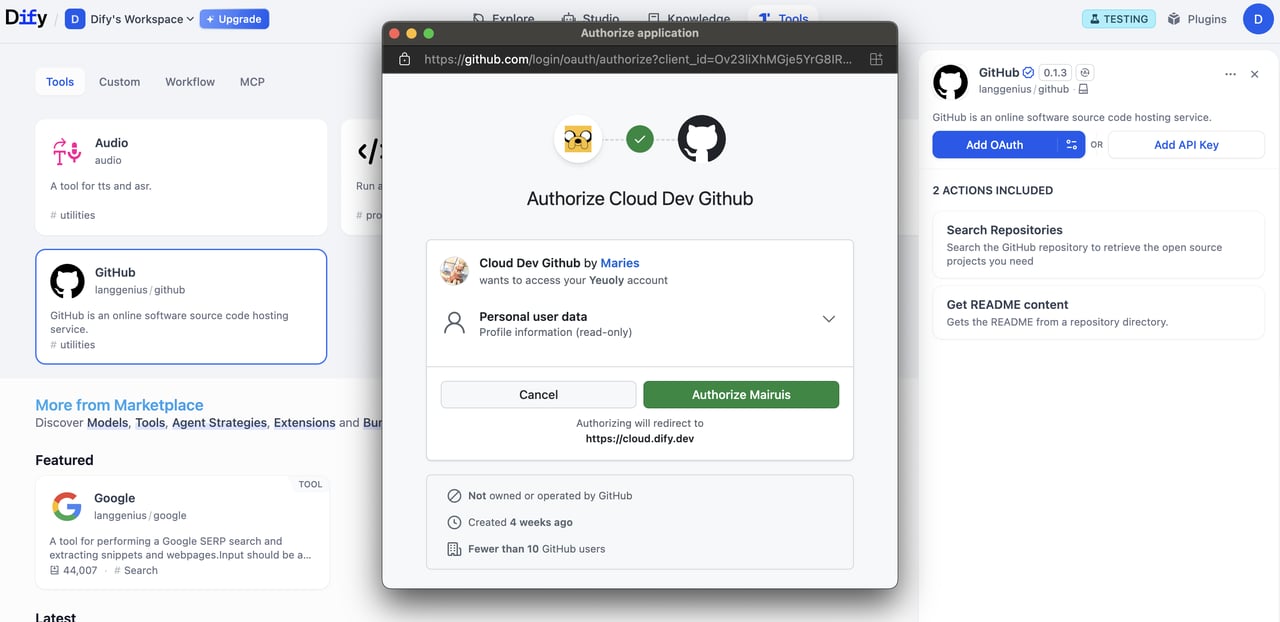
OAuth in Dify involves two separate flows that developers should understand and design for.Flow 1: OAuth Client Setup (Admin / Developer Flow)
On Dify Cloud, the Dify team creates OAuth apps for popular tool plugins and sets up OAuth clients, so users don’t need to configure this themselves.Admins of self-hosted Dify instances must go through this setup flow.
Create a Google Cloud Project
Create a Google Cloud Project
- Go to Google Cloud Console and create a new project, or select an existing one.
- Enable the required APIs (e.g., Gmail API).
Configure the OAuth Consent Screen
Configure the OAuth Consent Screen
- Navigate to APIs & Services > OAuth consent screen.
- Choose the External user type for public plugins.
- Fill in the application name, user support email, and developer contact.
- Add authorized domains if needed.
- For testing, add test users in the Test users section.
Create OAuth 2.0 Credentials
Create OAuth 2.0 Credentials
- Go to APIs & Services > Credentials.
- Click Create Credentials > OAuth 2.0 Client IDs.
- Choose the Web application type.
- A
client_idand aclient_secretwill be generated. Save these as the credentials.
Enter Credentials in Dify
Enter Credentials in Dify
Enter the 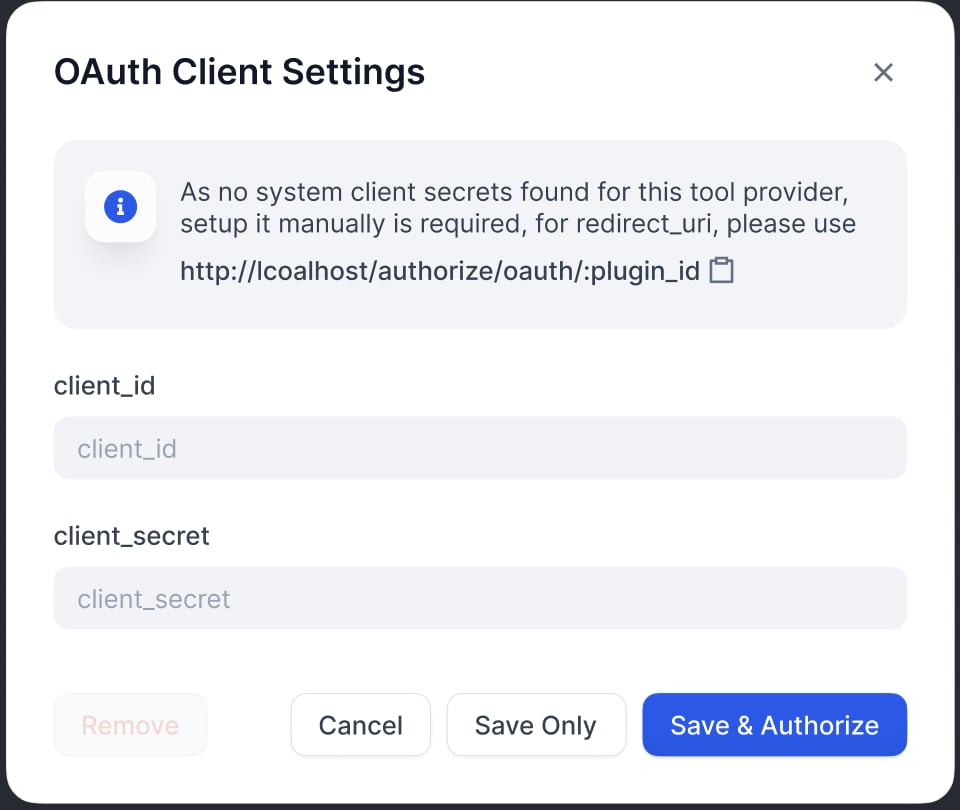
client_id and client_secret in the OAuth Client configuration popup to set up the tool provider as a client.Authorize Redirect URI
Authorize Redirect URI
Register the redirect URI generated by Dify on the Google OAuth Client’s page: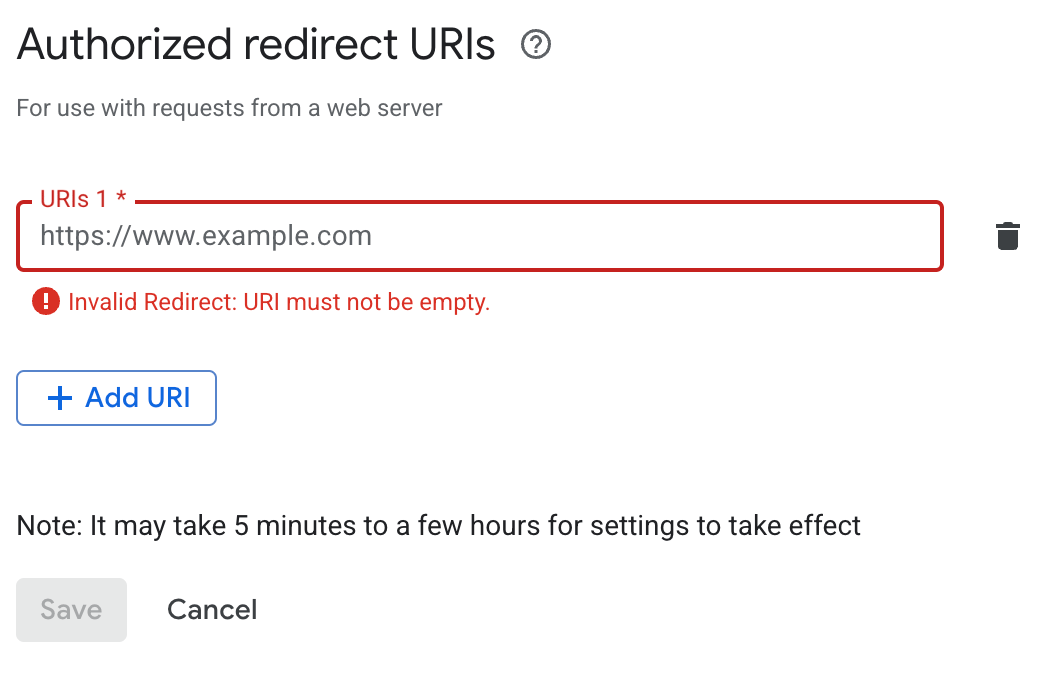
Dify displays the For self-hosted Dify,
redirect_uri in the OAuth Client configuration popup. It usually follows the format:your-dify-domain should match CONSOLE_WEB_URL.Flow 2: User Authorization (Dify User Flow)
After configuring OAuth clients, individual Dify users can now authorize your plugin to access their personal accounts.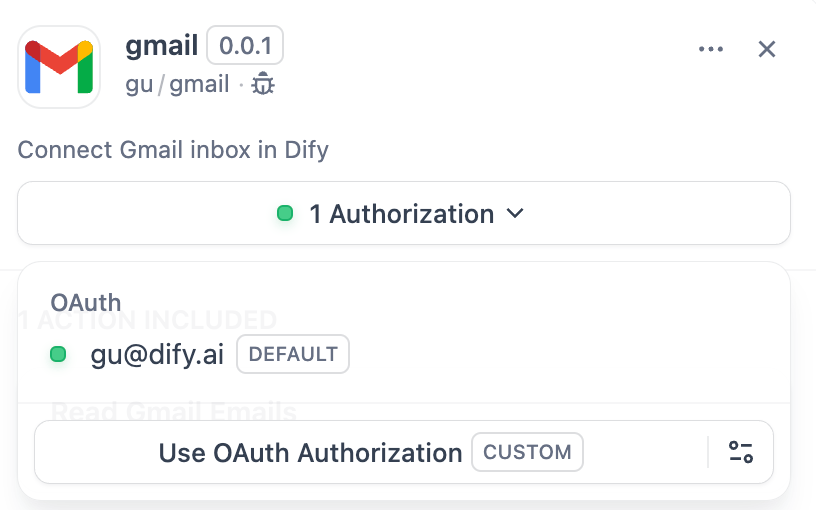
Implementation
1. Define OAuth Schema in Provider Manifest
Theoauth_schema section of the provider manifest tells Dify what credentials your plugin’s OAuth setup needs and what the OAuth flow produces. Setting up OAuth requires two schemas:
client_schema
Defines the input for OAuth client setup:gmail.yaml
The
url field links to the third-party service’s help documentation, giving admins and developers a reference during setup.credentials_schema
Specifies what the user authorization flow produces (Dify manages these automatically):Include
oauth_schema and credentials_for_provider together to offer both OAuth and API key authentication options.2. Complete Required OAuth Methods in Tool Provider
Add these imports where yourToolProvider is implemented:
ToolProvider class must implement these three OAuth methods (using GmailProvider as an example):
3. Access Tokens in Your Tools
Use OAuth credentials to make authenticated API calls in yourTool implementation:
self.runtime.credentials automatically provides the current user’s tokens. Dify handles refresh automatically.
For plugins that support both OAuth and API_KEY authentication, use self.runtime.credential_type to differentiate between the two authentication types.
4. Specify the Correct Versions
OAuth requires a recent SDK and Dify version. Pin the plugin SDK inrequirements.txt:
manifest.yaml, add the minimum Dify version:
Edit this page | Report an issue